How to Get a Free Google Play Gift Card
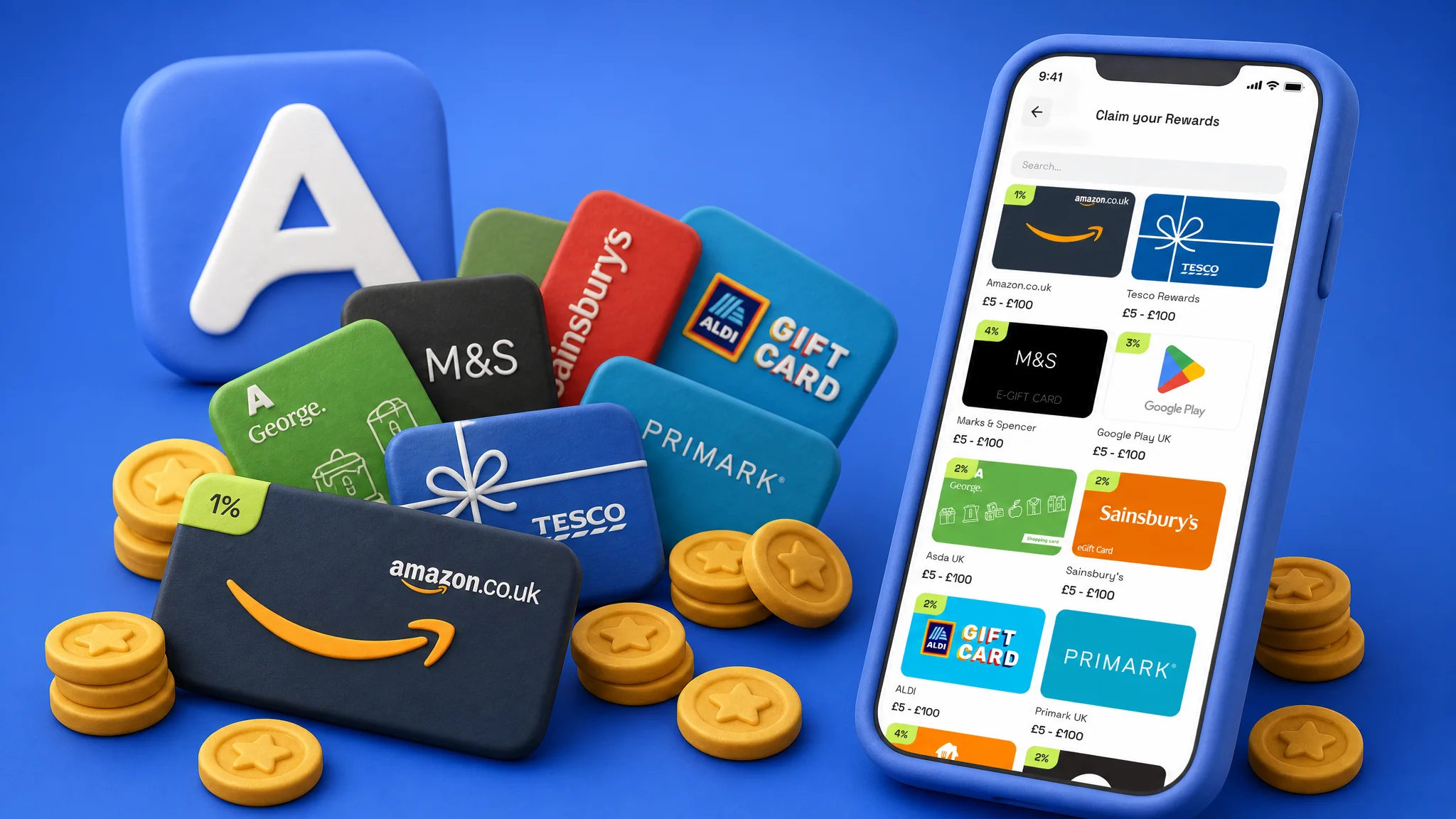
A free Google Play gift card is one of the more useful payouts on AirPerks because the credit covers almost everything inside Google's ecosystem on Android: paid apps, in-app purchases, V-Bucks and Robux when you buy them through Google Play, Google One storage, YouTube Premium, Google Play Books and Movies, even Play Pass. The path on AirPerks is the same as any other gift card: answer paid surveys and complete short Survey Missions in your spare time, hit the $5 minimum, and pick the Google Play card from the catalog when one is available in your region. Start in your browser at airperks.app, or download the app to earn on the go.
Real talk: this isn't get-rich money. It's spare-time money — the kind that funds your next in-app purchase or YouTube Premium renewal while you're on the couch. Here's exactly how it works.
How to get a free Google Play gift card with AirPerks
- Sign up. Open the AirPerks web app or install the mobile app — both work, no credit card required. Account creation takes about a minute, and a short starter survey unlocks your first $0.50.
- Answer surveys and complete Survey Missions. Surveys pay per completion. Every few days AirPerks runs a Survey Mission ("Do 10 surveys, get an extra $2") that pays a bonus on top of normal survey earnings.
- Stack the bonuses as you Level up. XP comes from every complete and screenout. At Level 6, Fragments unlock a 90-day progress goal that pays out a gift card on completion. At Level 11, Bonus Day pays a percentage extra on every survey you do on your chosen day. The same survey ends up paying more here because of the layered extras.
- Hit $5. That's the standard cashout threshold. Loyal users at higher Levels drop to $3.
- Open the Payouts tab and pick Google Play. Tap the Google Play card, choose a denomination chip ($5, $10, $25, $50, $100 depending on availability), and a green Redeem button slides up. Google Play is one of the brands that often shows a cashback badge — a slice of the value comes back to your AirPerks balance as bonus points after delivery. Cashback rates vary by country and can change over time — the live rate is on the Claim screen.
- Confirm with a swipe. A bottom sheet shows the amount, the email we'll deliver to, and a green slider. Drag it across to commit. The swipe is intentional — it stops a stray tap from accidentally redeeming.
- Redeem on your Google account. When the redemption clears, the confirmation screen has a button that opens the Google Play redemption link. We also email it to your account address. On Android: open the Play Store → tap your profile icon → Payments & subscriptions → Redeem gift code. On a browser: sign in to your Google account and visit play.google.com/redeem. The balance lands in your Google Play balance and stays there until you spend it.
The Google Play redemption usually arrives within a few minutes of confirming. If a provider takes longer, the history pill shows In Review with a rough date. There's no scary red "Failed" state — when something blocks delivery on the provider side, the value gets refunded to your AirPerks balance automatically and you can redeem again.
What Google Play credit pays for
Once redeemed to your Google account, the balance is fungible across:
- Paid apps and games on the Play Store.
- In-app purchases inside any app or game that uses Google Play billing — coins, gems, V-Bucks (Android), Robux (Android), premium upgrades, item shops.
- App subscriptions billed through Google Play — YouTube Premium, YouTube Music, Headspace, Calm, Strava, the lot.
- Google One cloud storage subscriptions.
- Google Play Books and Google TV (formerly Google Play Movies & TV) purchases and rentals.
- Google Play Pass — Google's catalog subscription with hundreds of premium apps and games included.
What it doesn't cover: hardware purchases on the Google Store (Pixel, Pixel Watch, Pixel Buds), some Google Workspace business plans, and physical product subscriptions outside Google Play.
The card is region-locked: a US Google Play gift card only works on a US Google account. Make sure your Google account country matches before you redeem.
How long it takes
A few realistic checkpoints:
- First $0.50 lands after the starter survey, usually within five minutes of signup.
- First $5 Google Play card is achievable in a single focused session if surveys are landing for you. More often it's a few sessions over a week.
- A month of YouTube Premium ($13.99 at the time of writing) takes a few weeks of casual activity, sooner if Bonus Day or a Fragment goal lands at the right time.
- A big in-game purchase ($30-$50) is a multi-week savings goal.
Some users on AirPerks have earned over $1,000 across the platform. That's a real outcome from real people who built a habit over months — not a promise, and not typical. Earnings vary based on your demographic profile, how often you log in, which surveys you qualify for, and which Survey Missions are running in your region.
Other ways to get a free Google Play gift card
If you're researching this, you've probably seen a few other options. Quick honest map:
- Other survey apps (AttaPoll, Eureka, etc.) — Real working apps. AttaPoll competes hard on threshold and lifetime referrals; Eureka has solid public reviews and an aggressive "$1 on cashout" referral hook. They're not scams. They just don't layer the bonus mechanics, the cashback on payouts, or the staffed support that AirPerks does. Different axes.
- Google Opinion Rewards. Google's first-party survey app. Pays directly into Google Play credit; the survey supply is irregular and the per-survey rates are small (cents). Worth running alongside other apps — not a replacement.
- Cashback shopping apps. Useful if you'd be buying gift cards anyway. The rate of return on actual money spent is what it is. Surveys give you something for time you'd otherwise spend scrolling.
- "Free Google Play gift card generator" sites. Don't. They're either phishing your Google credentials or signing you up for paid offers behind a fake "you've won" page. There is no working generator.
The honest version of the AirPerks pitch: goodwill rewards on screenouts (support credits unfair kickouts and broken surveys), no payout fees on PayPal and bank transfer, fast Google Play and PayPal delivery, instant chat replies any time of day with real people on the team reviewing complex tickets, and the loyalty-driven $5-down-to-$3 threshold. Those are the lines we'll defend in any comparison.
Frequently asked questions
Is the AirPerks Google Play gift card actually free? Yes — you don't pay anything. You earn the balance by answering surveys and completing Survey Missions, then redeem it for a Google Play card. The "free" framing is the same one used everywhere else in this space: it's free in dollars, paid in your time and your honest opinions.
Can I use Google Play credit for in-app purchases? Yes. Any app or game that uses Google Play billing (which is almost every paid Android app) pulls from your Google Play balance first. V-Bucks bought through the Android Fortnite app, Robux bought through the Android Roblox app, gems in Clash of Clans, premium upgrades — all eligible.
Do Google Play gift cards expire? Google Play gift cards purchased in the US do not have an expiration date. Once the code is redeemed into your Google account, the balance stays available until you spend it.
What's the smallest Google Play card I can redeem? $5 in the US, matching the standard cashout threshold. Loyal users at higher Levels drop to $3. The smallest Google Play denomination available depends on what Google issues — start with $5 to be safe.
Can I use a Google Play gift card on iPhone? No. Google Play balance is Android-only. If you're on iPhone, redeem an Apple gift card instead — the AirPerks catalog has both.
How fast does the Google Play code arrive? Usually within a few minutes of swiping to confirm. If the provider is slow, the history pill shows In Review with an estimated date. The code lands as a redemption link in the app and as an email — check spam if you don't see the email.
What if my Google Play code doesn't work? Open in-app chat. You'll get an instant reply, and complex tickets are reviewed by real people on the team. If the provider failed to deliver, the value is refunded to your AirPerks balance automatically and you can redeem again. If the code itself has a problem, support fixes it directly.
Start earning your Google Play gift card
- In your browser: airperks.app →
- On your phone: download the AirPerks app →
Sign up takes a minute. The first $0.50 lands after the starter survey, and from there it's whatever pace you want.
Earnings vary based on user activity, demographic profile, and survey availability in your region. Top user earnings of $1,000+ are real but not typical.