How to Get a Free Visa Gift Card
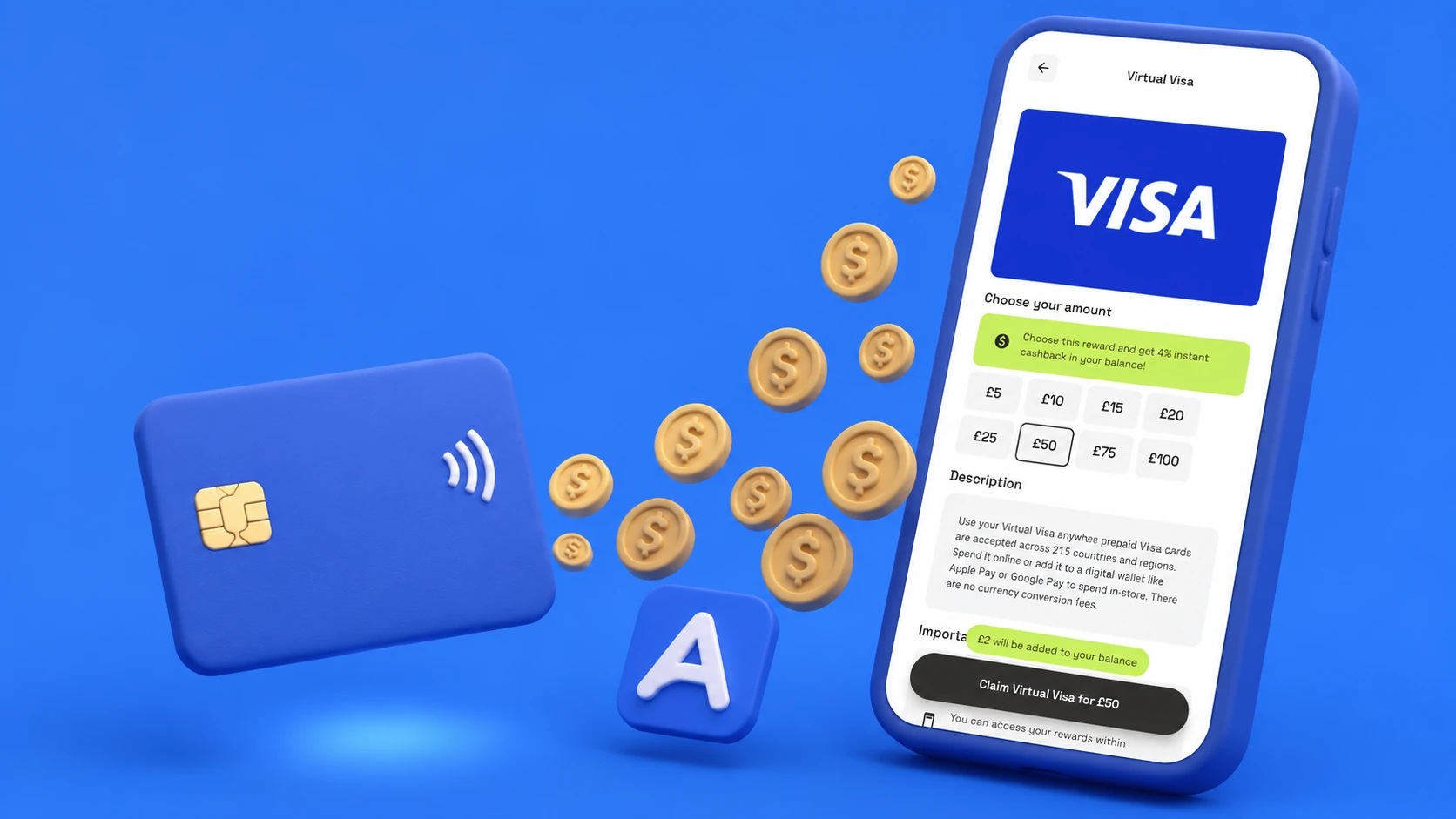
A free Virtual Visa gift card is the most versatile payout on AirPerks — it's accepted anywhere Visa is taken worldwide, which is essentially everywhere. Unlike a branded gift card that works only at one retailer, the Virtual Visa functions like a prepaid debit card: you can use it for online purchases, subscriptions, app store payments, and any checkout that accepts Visa. Some Virtual Visa options on AirPerks also carry a cashback bonus (check the live rate on the Claim screen) that returns a percentage of the value to your AirPerks balance. Start in your browser at airperks.app, or download the app to earn on the go.
Real talk: this isn't get-rich money. It's spare-time money — the kind that gives you maximum flexibility for where you spend it. Here's exactly how it works.
How to get a free Visa gift card with AirPerks
- Sign up. Open the AirPerks web app or install the mobile app — both work, no credit card required. Account creation takes about a minute, and a short starter survey unlocks your first $0.50.
- Answer surveys and complete Survey Missions. Surveys pay per completion. Every few days AirPerks runs a Survey Mission ("Do 10 surveys, get an extra $2") that pays a bonus on top of normal survey earnings.
- Stack the bonuses. At Level 6, Fragments unlock. At Level 11, Bonus Day pays a percentage extra on every survey you do on your chosen day.
- Hit $5. Standard cashout threshold; drops to $3 at higher Levels.
- Open the Payouts tab and pick Virtual Visa. Tap the Visa card, choose a denomination ($5 to $100 depending on availability), and a green Redeem button slides up. The Virtual Visa often shows a cashback badge — a percentage of the value returns to your AirPerks balance as bonus points after delivery. Cashback rates vary by country and can change; the live rate is on the Claim screen.
- Confirm with a swipe. Drag the green slider to commit.
- Use it online. When the redemption clears, the card details (number, expiry, CVV) arrive via redemption link and email. Use them at any online checkout that accepts Visa — enter the card number as you would any other Visa card. The Virtual Visa also works with Apple Pay and Google Pay on supported devices.
The Virtual Visa redemption usually arrives within a few minutes of confirming. If a provider takes longer, the history pill shows In Review. If anything blocks delivery, the value refunds to your AirPerks balance automatically.
Where a Virtual Visa is accepted
The short answer: anywhere online that takes Visa. This includes:
- Online shopping — Amazon, eBay, Etsy, Shein, ASOS, and most e-commerce checkouts.
- Subscriptions — Netflix, Spotify, YouTube Premium, iCloud, and any subscription that accepts a Visa card number.
- App stores — Apple App Store and Google Play accept Visa card details (enter via payment settings, not via gift card code).
- Travel bookings — Expedia, Booking.com, Airbnb, flight check-out.
- Utilities and bills — any biller that accepts a credit/debit card number online.
- In-store (tap-to-pay) — if loaded into Apple Pay or Google Pay, you can use the Virtual Visa for contactless in-store purchases too.
The card is accepted in 215+ countries and territories wherever Visa is taken. Currency conversion applies if you spend in a currency other than the card's native currency.
The cashback angle
The Virtual Visa on AirPerks sometimes carries one of the higher cashback rates in the catalog — check the Claim screen for the live figure. At Level 21 (Elite), AirPerks adds 50% on top of the displayed cashback rate. For example, if the Visa shows 4% cashback, Elite users get 6% effectively back to their balance. That's the loyalty compound in action — same redemption, more return.
How long it takes
- First $0.50 lands after the starter survey, usually within five minutes of signup.
- $5 Visa card — achievable in a single survey session.
- $25 card — a few weeks of casual activity, faster with Bonus Day and Fragments.
Earnings vary based on demographic profile, login frequency, and survey availability in your region.
Other ways to get a free Visa prepaid card
- Other survey apps (AttaPoll, Eureka, etc.) — Real working apps, different bonus structures.
- Bank promotions. Some banks issue prepaid Visa cards as new account bonuses. Real, one-off, worth doing if the spending requirement is manageable.
- Credit card rewards transfers. Some card points convert to Visa prepaid cards. Depends on your card.
- "Free Visa gift card generator" sites. Don't — phishing or paid offer traps behind a fake reward page.
Frequently asked questions
Does the Virtual Visa work in physical stores? Yes — add it to Apple Pay or Google Pay and use it for tap-to-pay anywhere contactless Visa is accepted.
Can I use the Virtual Visa on Amazon? Yes — enter the card number, expiry, and CVV in your Amazon payment methods the same way you'd add any Visa card.
Does the Virtual Visa have an expiry date? Yes — virtual prepaid cards have expiry dates shown on the card details. Use it before it expires; the balance may not be accessible after.
What's the smallest Virtual Visa I can redeem? $5 — the standard AirPerks cashout threshold.
What if the Virtual Visa doesn't work at checkout? Some merchants run address verification (AVS). If the card fails AVS, try a merchant that doesn't require it, or contact AirPerks in-app chat. Real people on the team review complex tickets.
How fast does the card arrive? Usually within a few minutes. The card details come as a redemption link and email.
Start earning your Virtual Visa
- In your browser: airperks.app →
- On your phone: download the AirPerks app →
Sign up takes a minute. The first $0.50 lands after the starter survey.
Earnings vary based on user activity, demographic profile, and survey availability in your region. Top user earnings of $1,000+ are real but not typical.