What Is Bonus Day on AirPerks? How to Earn 10% More Every Week
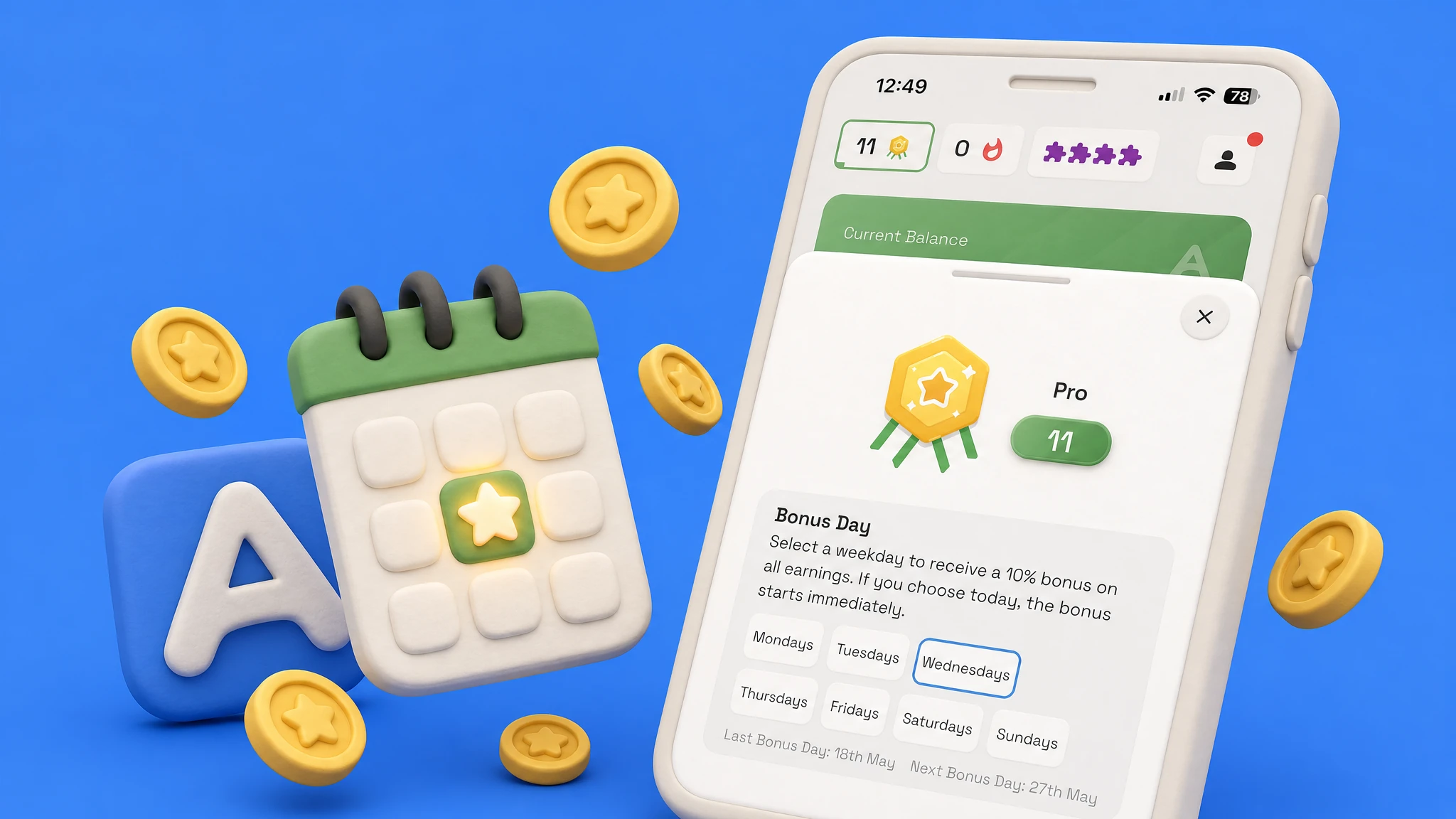
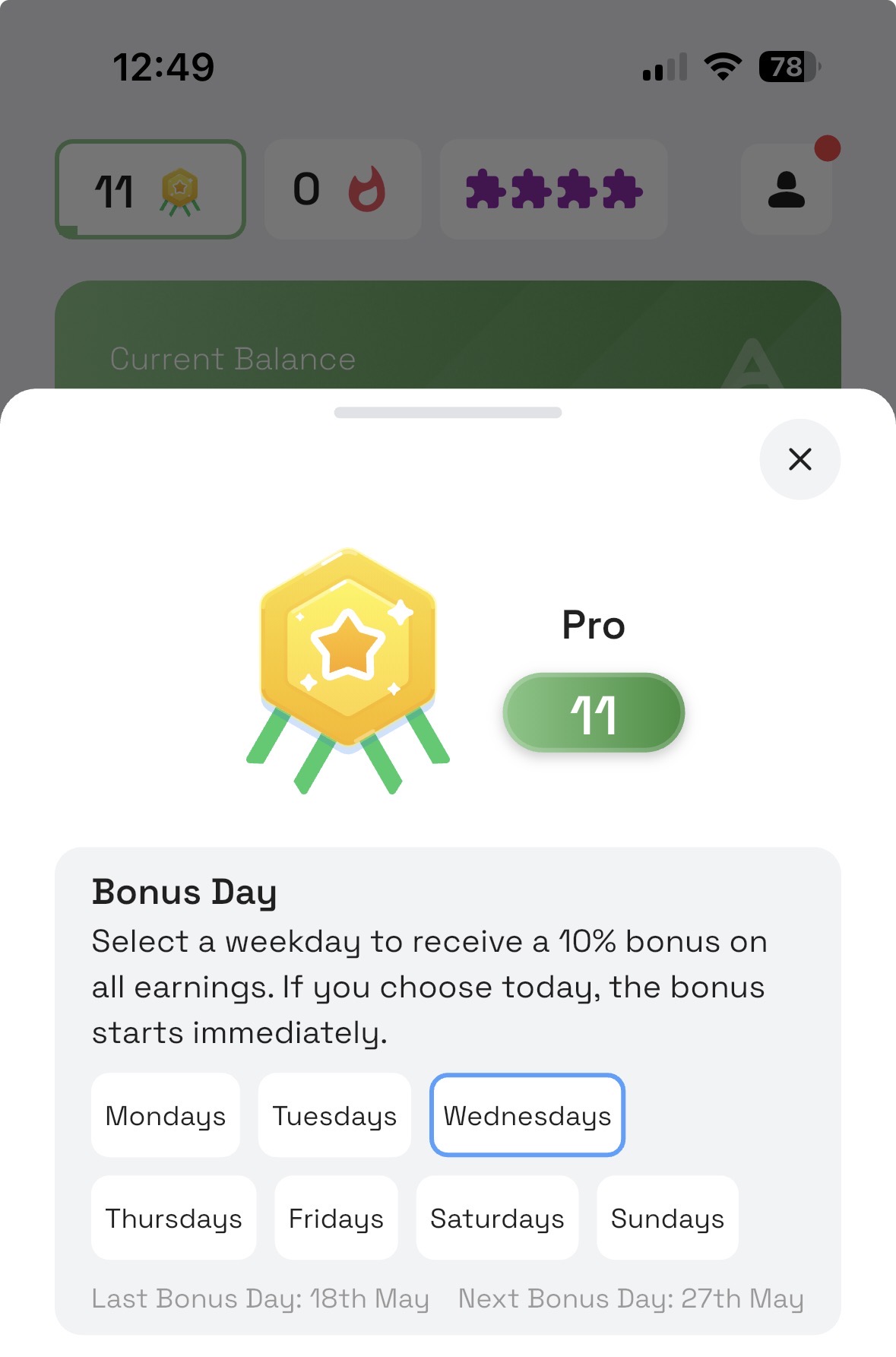
Bonus Day is one of the biggest weekly boosters on AirPerks. You pick a day of the week — Monday, Tuesday, any day — and from that point on, every survey you complete on that day pays a flat 10% bonus on all earnings. The picker spells it out: "Select a weekday to receive a 10% bonus on all earnings. If you choose today, the bonus starts immediately." The math compounds quickly: pick a day that already has good survey availability, and your weekly earnings shift noticeably.
It's a perk that rewards loyalty by design. New users don't have it. Active users do.
When you unlock Bonus Day
Bonus Day is available from Level 11 onward — the start of the Pro tier.
A note on level wording you'll see across the app and other articles: a perk that "unlocks at Level 10" in older copy means you have to complete Level 10 first, so it's effectively available from Level 11. Same idea for Fragments (available from Level 6, not 5) and the Elite cashback boost (Level 21, not 20). We've corrected the language going forward; the mechanic is unchanged.
To get to Level 11, you earn 100 XP per Level. XP comes from every survey complete and every screenout. There's no special grind — you just keep doing your normal AirPerks routine and the Level ticks up.
How to pick (or switch) your Bonus Day
Once you reach Level 11, you select your day from inside the Level view:
- Tap the level chip in the top-right corner of the home screen. (On some layouts the chip sits in the top-left — same chip either way.)
- The Level view opens with your XP progress, your tier (Member / Advanced / Pro / Elite / Legend), and from Level 11, a Bonus Day option appears.
- Pick the weekday you want. Confirm. From the next occurrence of that day onward, your completes on that day pay the bonus on top.
You can switch your day later from the same view if your schedule changes. Bonus Day is sticky on the day you picked until you change it.
Which day to pick
Survey availability isn't even across the week. Survey buyers tend to push the most volume Wednesday through Friday — corporate quotas hit, weekend deadlines approach, and inventory peaks. That's also when "Today's Performance" indicators tend to read "Excellent" most often.
Since the bonus is a flat 10% applied per survey on your chosen day, picking the day with the most completes is just picking the day with the highest total bonus. Common picks:
- Wednesday or Thursday — typical sweet spot. You'll usually have the most surveys to choose from, so the 10% compounds across more completes.
- Friday — also strong, with a small risk of survey volume tapering by late evening.
- Tuesday — a fine pick if Wed–Fri don't fit your schedule.
If your weekday calendar is locked solid and Saturday or Sunday is the only time you'd open the app — pick a weekend day. A weekend Bonus Day applied to four completes still beats a weekday Bonus Day applied to zero completes. Pick when you'll actually be active.
How the bonus is applied
When you complete a survey on your chosen day, 10% of the survey's earnings is added on top as a Bonus Day boost. A $1.00 survey becomes $1.10 net. A $2.50 survey becomes $2.75. You see the boosted amount in your balance and your history; the survey itself doesn't change.
There's no claim button, no opt-in, no separate currency. The boost happens automatically as long as today is your Bonus Day. And if you pick today in the picker, the bonus starts immediately — no waiting until next week.
Bonus Day stacks with everything else
This is the part most people miss. Bonus Day doesn't replace your other rewards — it sits on top of them. A single Wednesday survey (if Wednesday is your day, and you're Level 11+) can pay:
- Its base survey reward
- Bonus Day +10% on top
- Streak progress (one point toward your 7-streak)
- Mission progress (if a Mission is active)
- Fragment progress (one Fragment if you're Level 6+, max 4/day)
- Cashback when you eventually redeem to a cashback-eligible gift card
- XP toward your next Level
This is how the AirPerks layers stack. Bonus Day is one of the biggest single-day shifts in that stack because it multiplies, not adds, across an entire day of activity.
Bonus Day vs. Missions vs. Streaks
These three are easy to confuse:
| Feature | When it pays | Who has it |
|---|---|---|
| Missions | When you hit a survey-count goal during the Mission window | Everyone, day one |
| Streaks | When you hit 7 consecutive survey completes (random bonus €0.15–€10) | Everyone, day one |
| Bonus Day | Every survey complete on your chosen weekday | Level 11+ |
They run in parallel. A Mission can be active on your Bonus Day; your 7th-streak survey can also be a Bonus Day complete. The system doesn't make you pick.
Practical tips
- Set your day the moment Level 11 ticks over. Even one day of "no day selected" is one day of missed bonus, and the boost is one of the most generous compounding mechanics in the app.
- Treat your Bonus Day like a routine. Some users set a calendar reminder for the morning of their Bonus Day to nudge them to open the app.
- Re-check survey performance every few weeks. If your schedule shifts and you're not getting many completes on your chosen day, switch. There's no penalty.
The fastest way to feel the difference Bonus Day makes is just to use it for a full month and compare your weekly earnings before vs. after. It's the single biggest reason long-term AirPerks users say "the same survey pays more on AirPerks."
Bonus Day kicks in at Level 11. Open the AirPerks web app or download AirPerks for iOS or Android — the XP curve is gentle, so most active users hit Level 11 within their first few weeks.